Designed and built a companion app concept for the Royal Ontario Museum, where visitors interact with artifacts through NFC taps.
A self-initiated concept: hold your phone to an exhibit label and the object is yours to keep, forever. Taken from a one-page brief to a working iOS app that reads physical NFC tags.
- Product Designer & iOS Developer · 2026
- Product Design
- Native iOS
- Concept Pitch
- 23
- Screens designed across six phases, first run to after-visit recap
- <1.5s
- Budget for the NFC read: label to reward
- 4
- Museum objects modeled end to end: story, provenance, grounded Q&A
- 0
- Backend servers: the whole demo runs offline, tags included
Overview
ROM Companion is a concept, and a working app, for the Royal Ontario Museum: tap your phone to an exhibit label the way you tap to pay, and the object is yours to keep. Its story opens now or later, and it stays in a personal collection that grows across years of visits.
This is self-initiated work. Nobody at the ROM commissioned it. I wrote the concept brief, designed all 23 screens to production-grade detail, and then built it as a real native iOS app that reads physical NFC tags. A museum considering an idea like this should be able to hold it in their hands, not just read about it.
The gap
The ROM holds 13 million objects and some of the deepest curatorial research in the country. A visitor leaves with almost none of it. The label gives them 40 words; their memory keeps three. The museum's own current tour app is slow, buggy, and unloved: a missed layer on top of a world-class collection, with no companion worthy of either the objects or the new brand built around them.
The visit ends at the door. Nothing carries the story home, and nothing brings the visitor back with intention rather than nostalgia.
Two precedents, joined
Before designing anything, I looked for institutions that had already solved half the problem. Two had, separately. The Eesti Rahva Muuseum in Tartu, Estonia gives every ticket an RFID tag: touch it to a didactic card and the object is written to your ticket's QR code, so a visitor literally takes the stories home. The physical gesture is the product. Choosing what to keep is an act of attention. The Canadian Museum of History's MUSEO, piloted on ten objects in the Canadian History Hall, is a closed AI guide that answers only from the museum's verified knowledge base, publishing depth that a label of only thirty to fifty words can't hold.
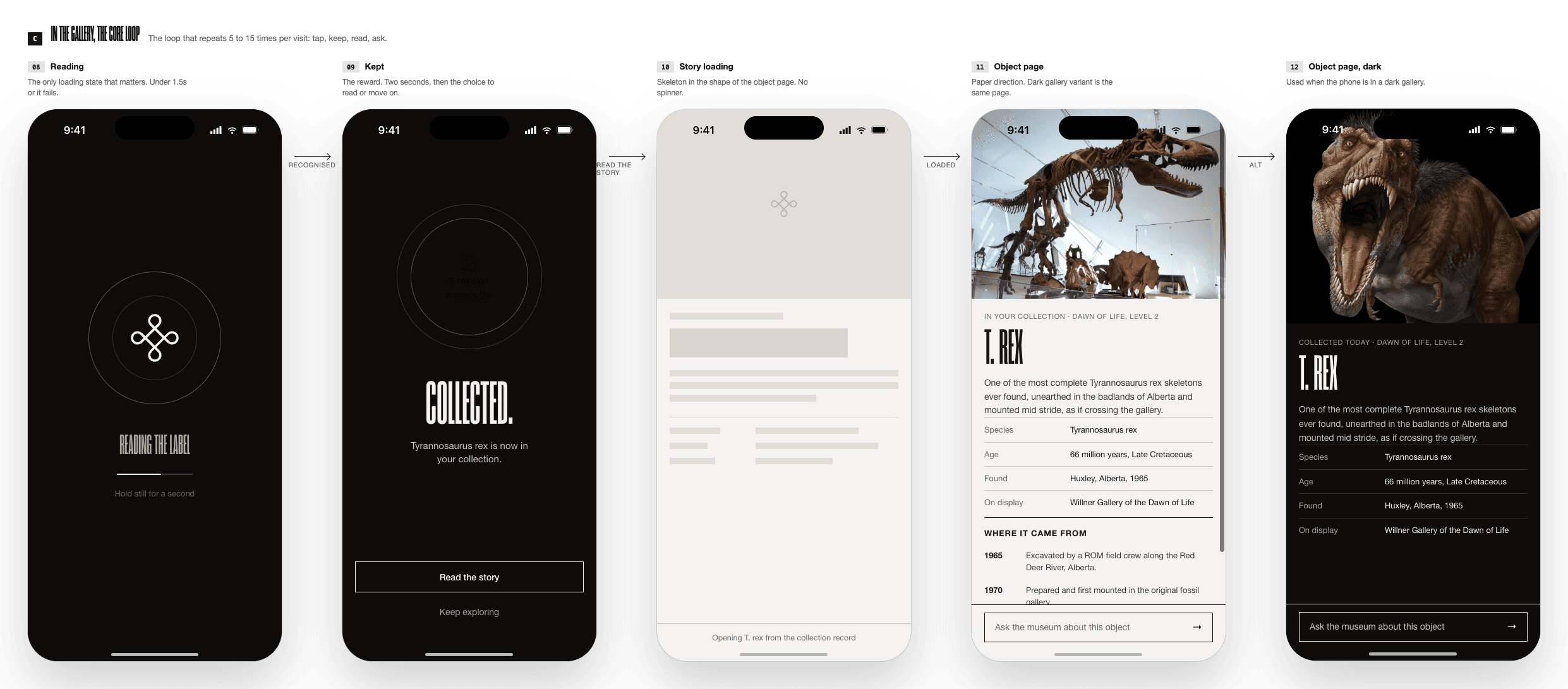
Nobody had put the two together. That gap, not a feature list, was the pitch: a collecting gesture worth remembering, paired with an answer engine worth trusting, built for a museum that already promises visitors exactly this. The ROM's own brand line gave me the spine for the whole concept.
“Every object in ROM is a portal to powerful stories that live on forever.”
— ROM brand promise
The concept
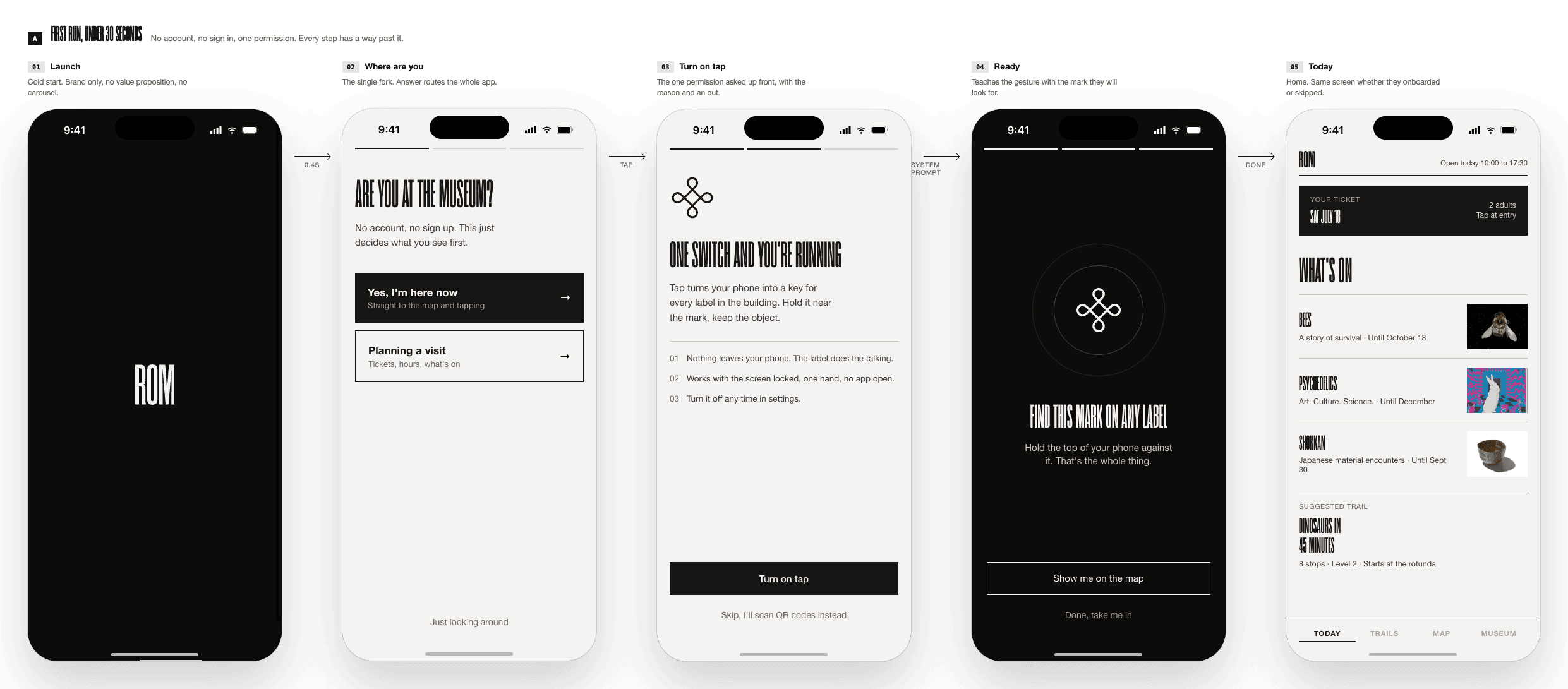
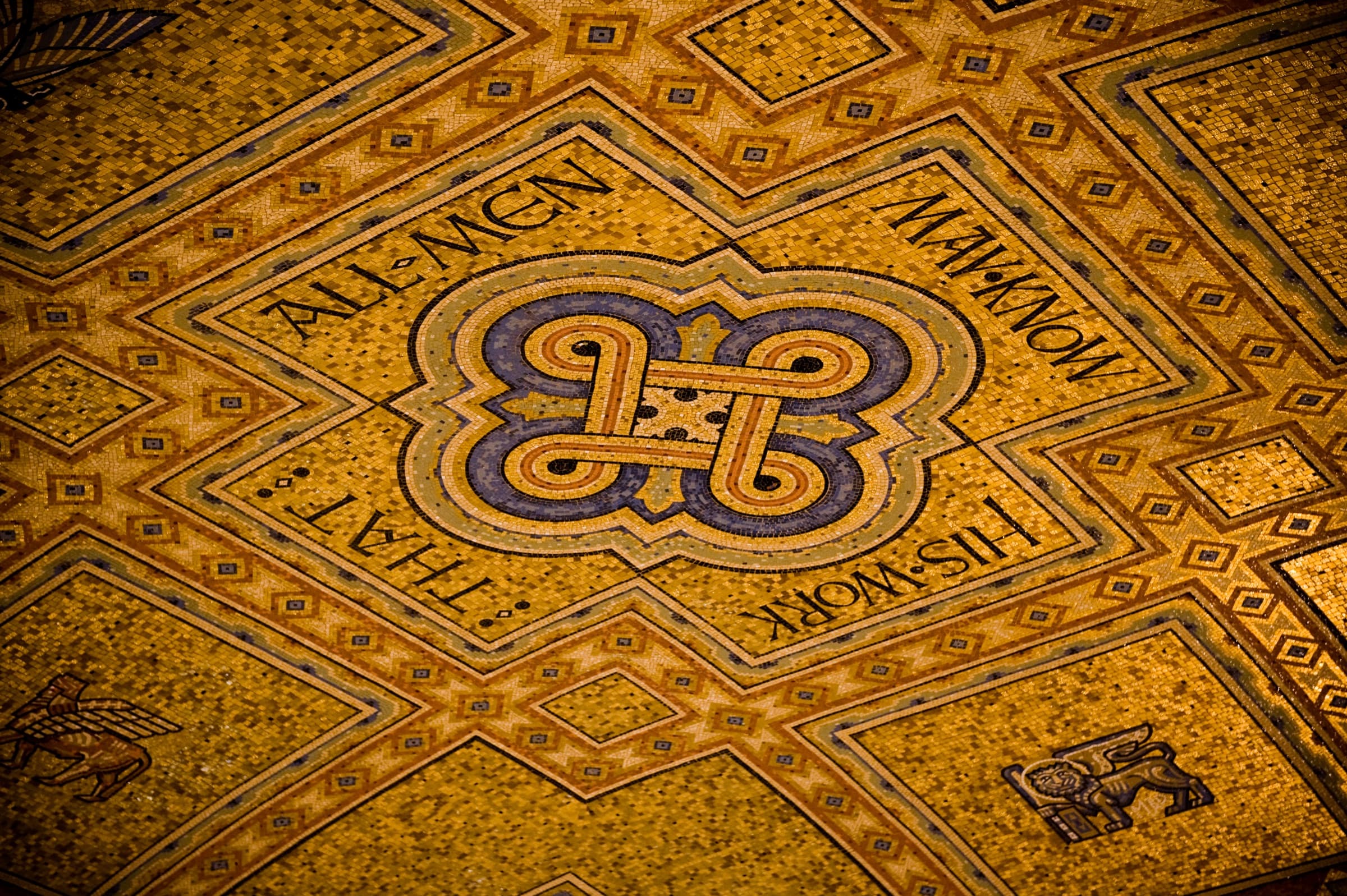
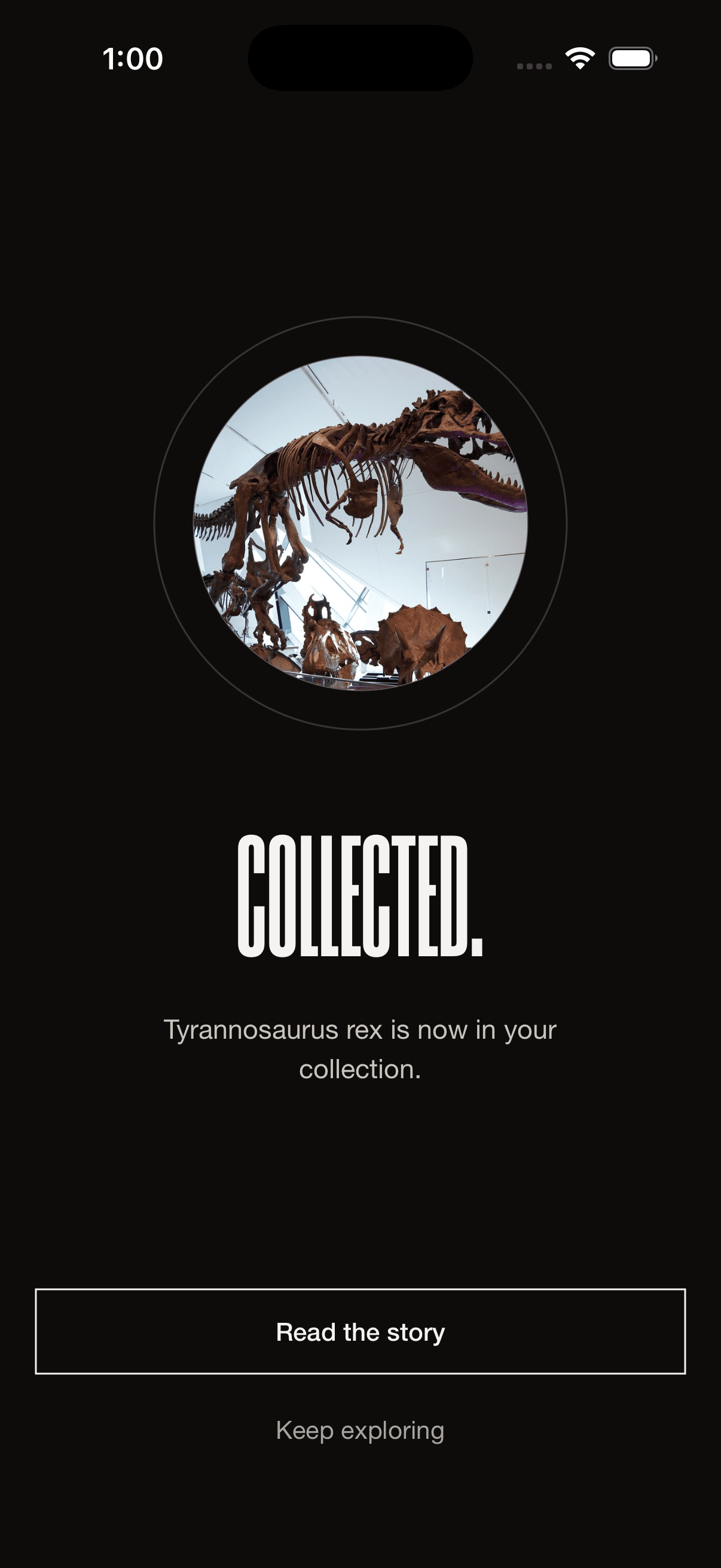
ROM Companion is one app with one spine: your collection. Everything before the visit feeds it, everything during the visit fills it, everything after the visit grows from it. The hero interaction, and the moment that sells the whole idea, is the Tap: hold your phone to an object's label, feel the haptic, watch the object drop into your collection. Apple Pay for wonder.
Why a tap beats a scan
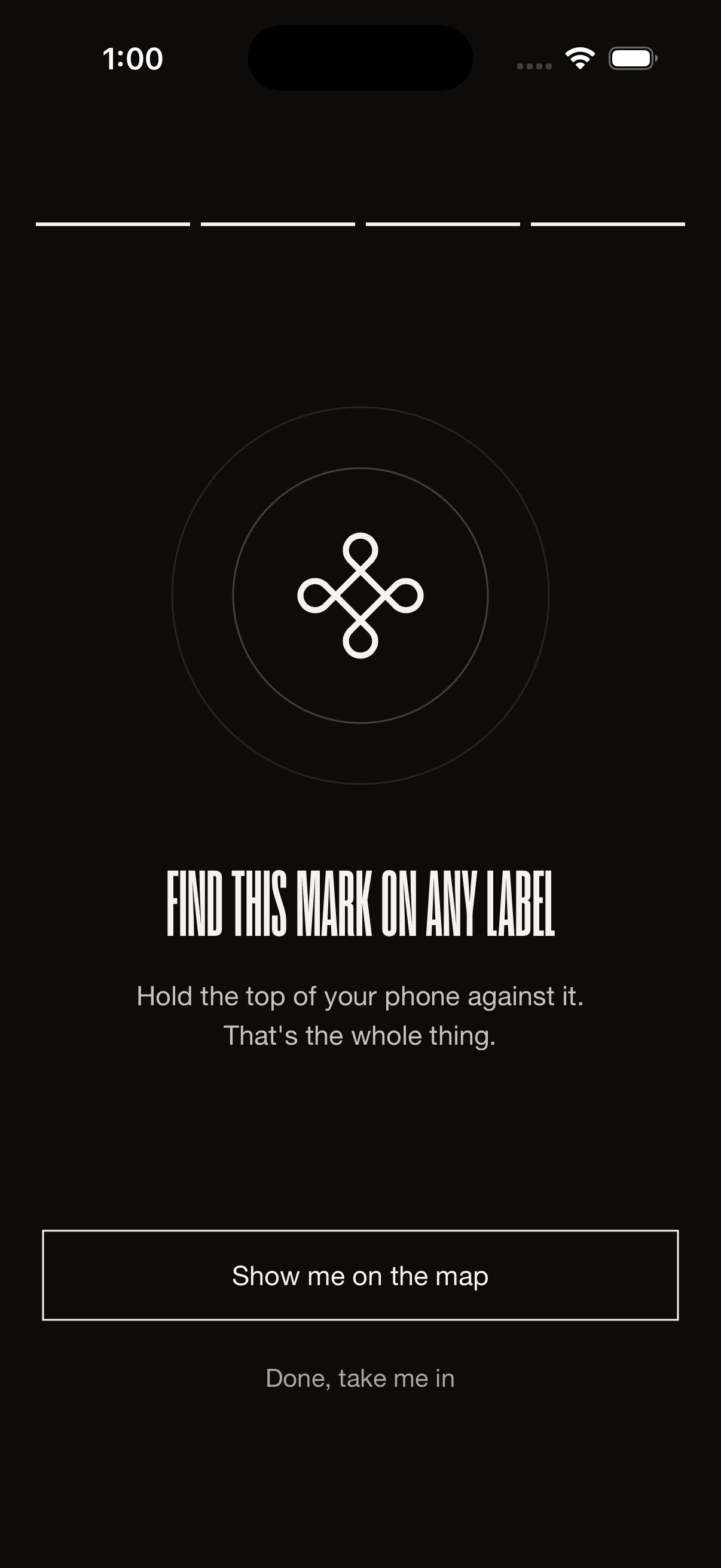
A tap is effortless and satisfying. No camera, no framing, no focus hunt. Hold your phone near the label and it just works, even in a dim gallery. The gesture borrows muscle memory every visitor already has from tapping to pay, and the haptic tick makes saving an object feel like a small reward. QR codes stay on every label as the printed fallback, for phones without NFC and for the moment a battery dies.
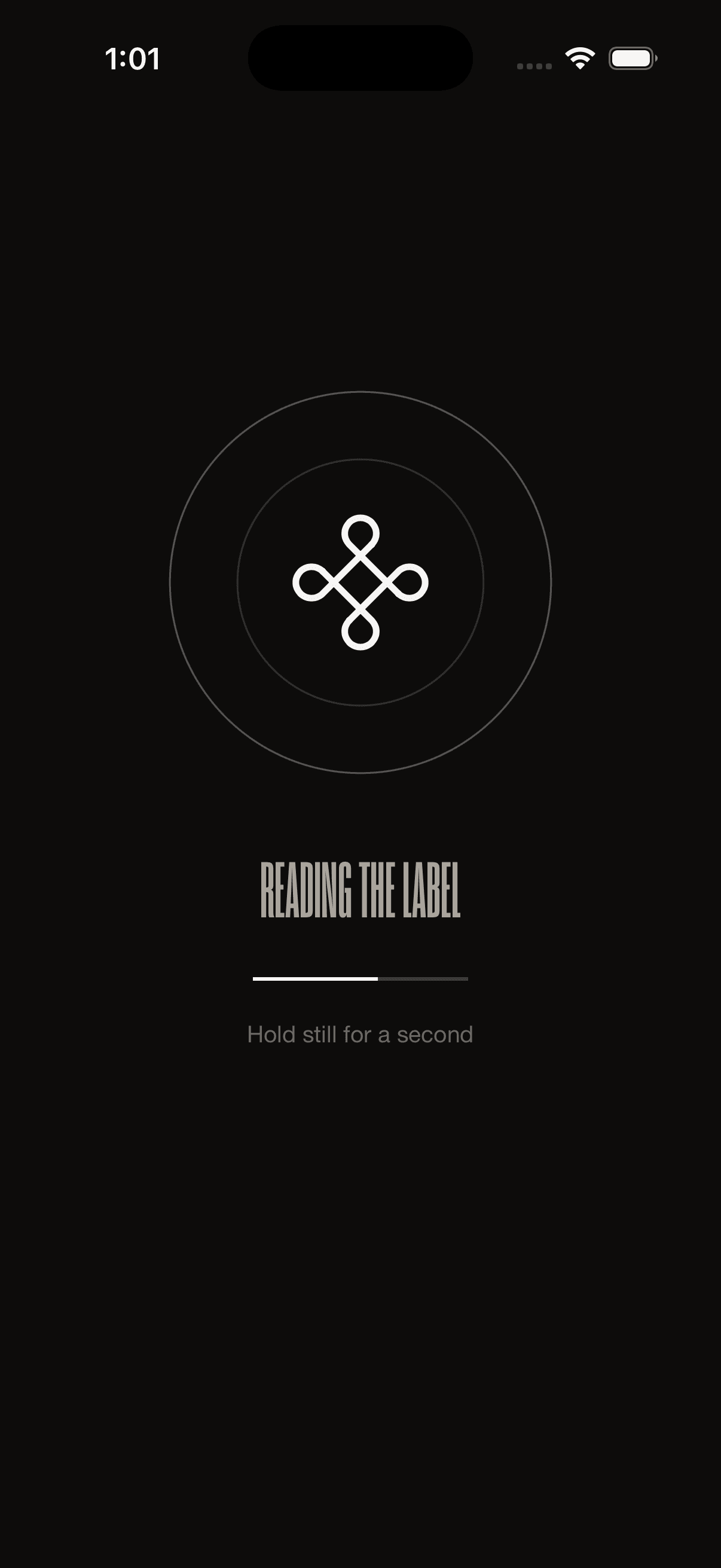
The read has a hard budget: under 1.5 seconds, or it's treated as a failure and offers a retry rather than spinning. Museums are dim, labels get worn, and an app that stalls silently teaches visitors not to trust the gesture.

Ask the museum
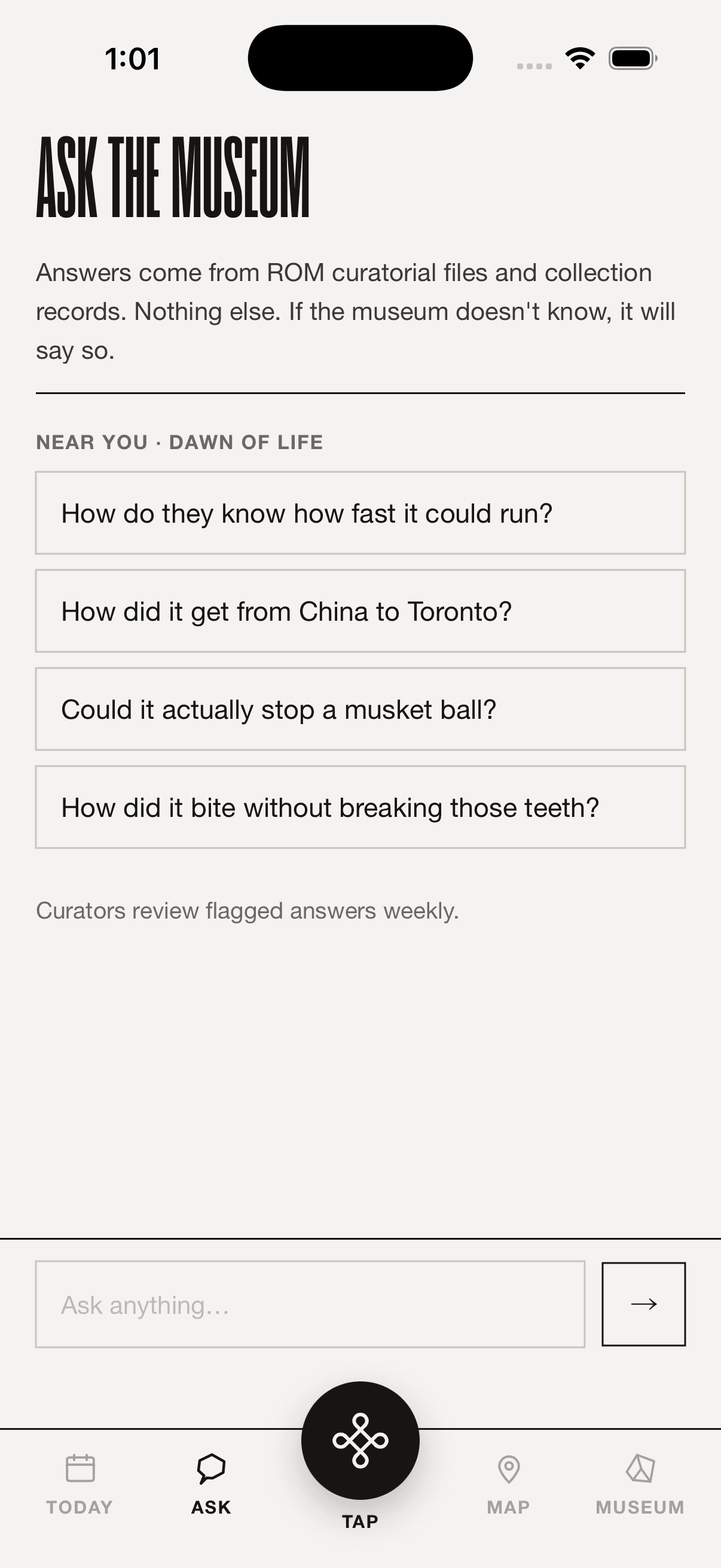
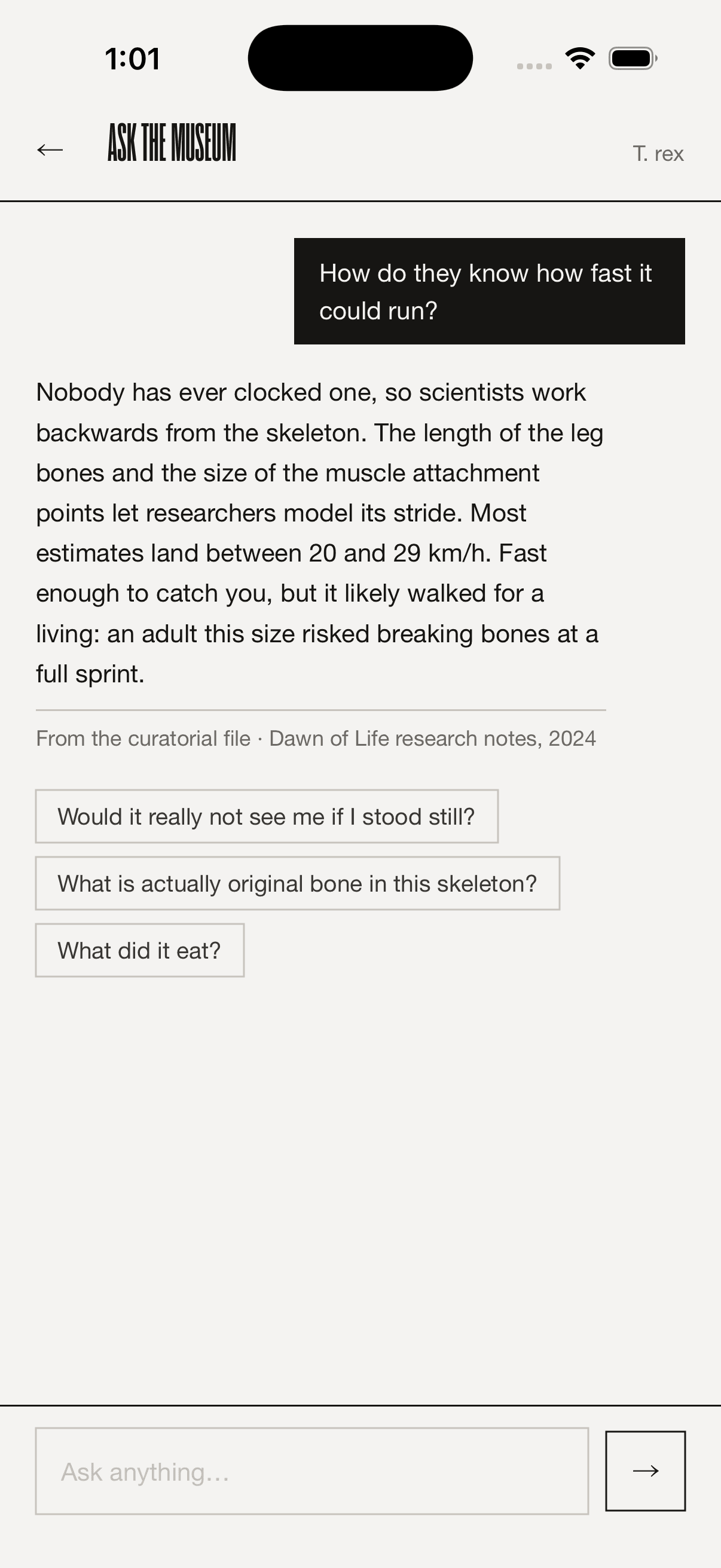
A collected object is only half the idea; the other half is that a visitor can go deeper than the label ever allowed. Ask follows the MUSEO model deliberately: answers draw only from the museum's own object files and curatorial notes, every answer carries a citation line naming its source, and when the corpus has nothing to say, the app says so rather than improvising. Flagged answers go to a weekly curator review queue.
That governance is not a constraint I designed around. It's the pitch. A museum can sell an AI feature to its own curators only if the model is provably just the interface, and the curators stay the source of truth.
Built to be used, not just seen
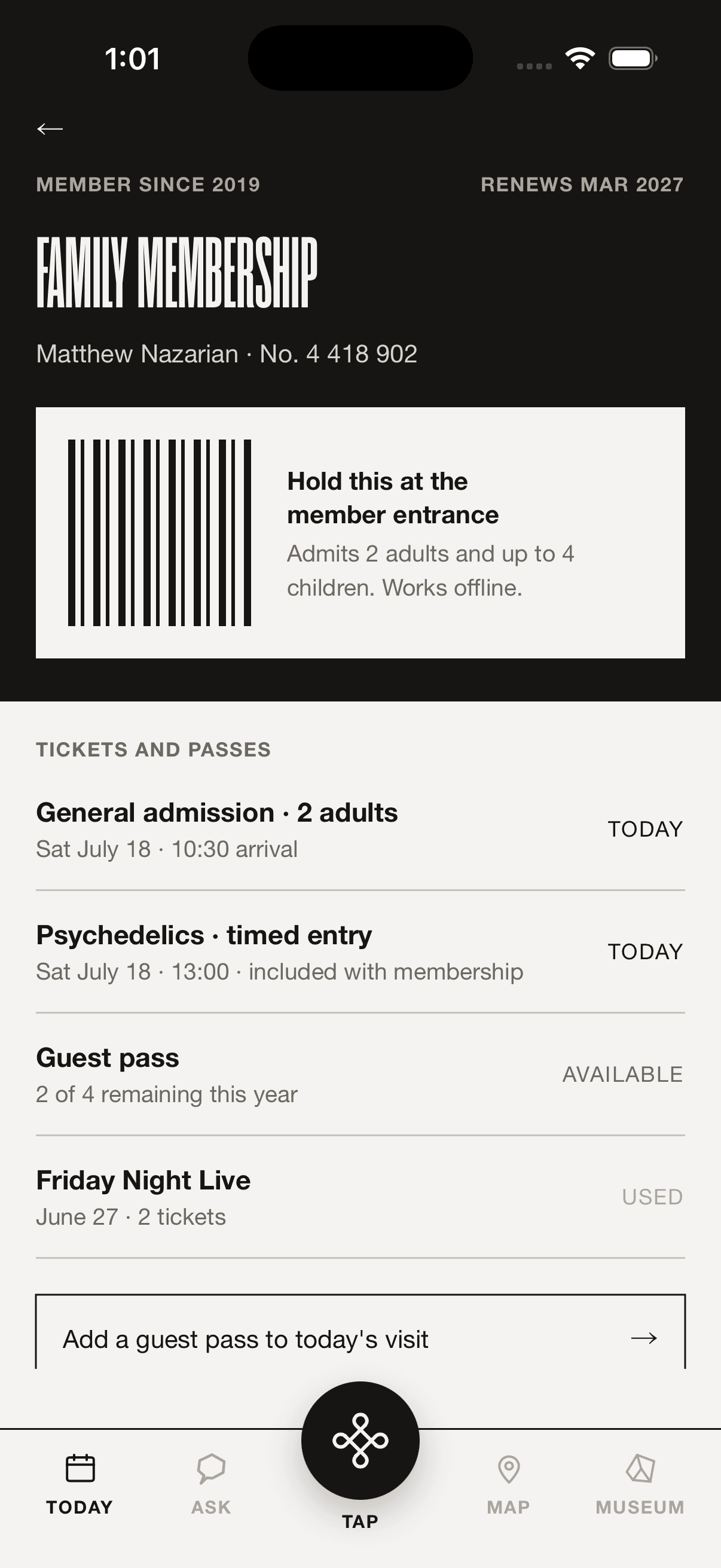
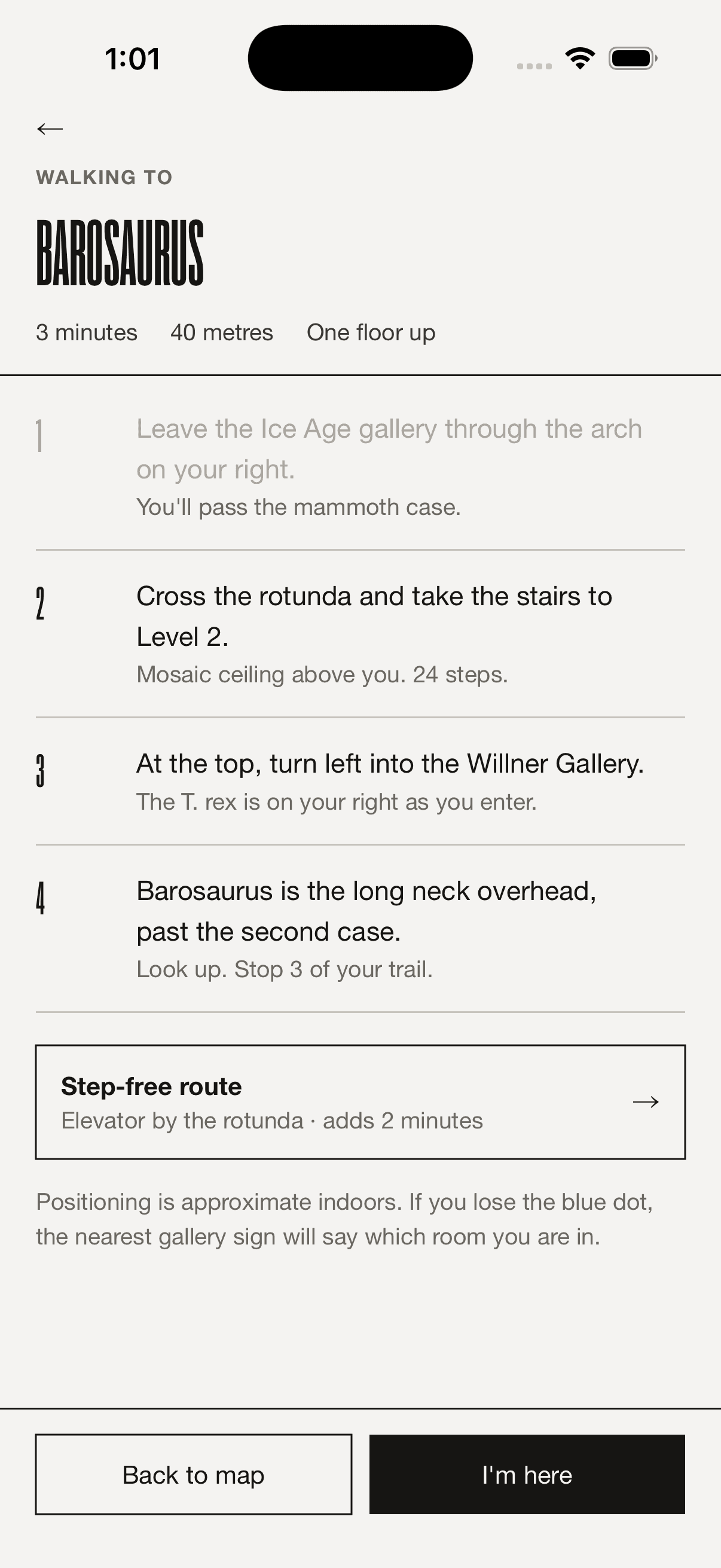
The screens that don't demo well are the ones that make the app trustworthy on a real visit. The membership wallet works fully offline, because a visitor at the door with no signal still needs to get in. Wayfinding writes directions the way a person would give them (cross the rotunda and take the stairs to Level 2), and the step-free route is always present, never hidden behind a settings toggle, because accessibility that requires discovery isn't accessibility.
How I worked
I specified every one of the 23 screens as a precise HTML design handoff before writing a line of Swift: exact colours, type sizes down to the pixel, spacing, and motion timing, so nothing was left open to interpretation once the build started. Coign Pro for display type, uppercase only, never below 26px; Helvetica for everything else; zero corner radius everywhere except the raised Tap button and the toggles. That discipline is what let the build match the spec exactly rather than approximately.
The build itself is native SwiftUI targeting iOS 17, no third-party dependencies, and I scoped it deliberately rather than building everything at once: the loop from tap to Kept to object page first, then My Museum, then Ask, then the onboarding wizard, then the static supporting screens, stopping for review at each cut rather than scaffolding speculatively ahead of it. Near Field Communication Tag Reading needs a paid Apple Developer enrollment and doesn't work in Simulator at all, so the NFC path went in last, once the account cleared: a real NFCNDEFReaderSession behind the Tap button, reading tags I wrote myself from a hidden bench inside the app (five taps on the Settings header) onto real NTAG215 hardware, so the whole demo can be re-tagged on site without a laptop.
What I deliberately left open
A concept this close to production raises questions a solo pass shouldn't answer alone, and I'd rather name them than paper over them. Indigenous belongings and other culturally sensitive objects need a governance layer of their own: which stories are the ROM's to tell in depth, and where the app should defer to the community a piece belongs to rather than explain on its behalf. The account model is still open. Collections can live on device with zero signup friction, or in an account that survives a phone change and can power membership, and that's a product and privacy decision, not a design one. So is naming the tap gesture itself: 'keep,' 'collect,' and 'take it home' all tested differently in early copy, and it deserves a language workshop with the museum's own team before it ships anywhere.
Outcome
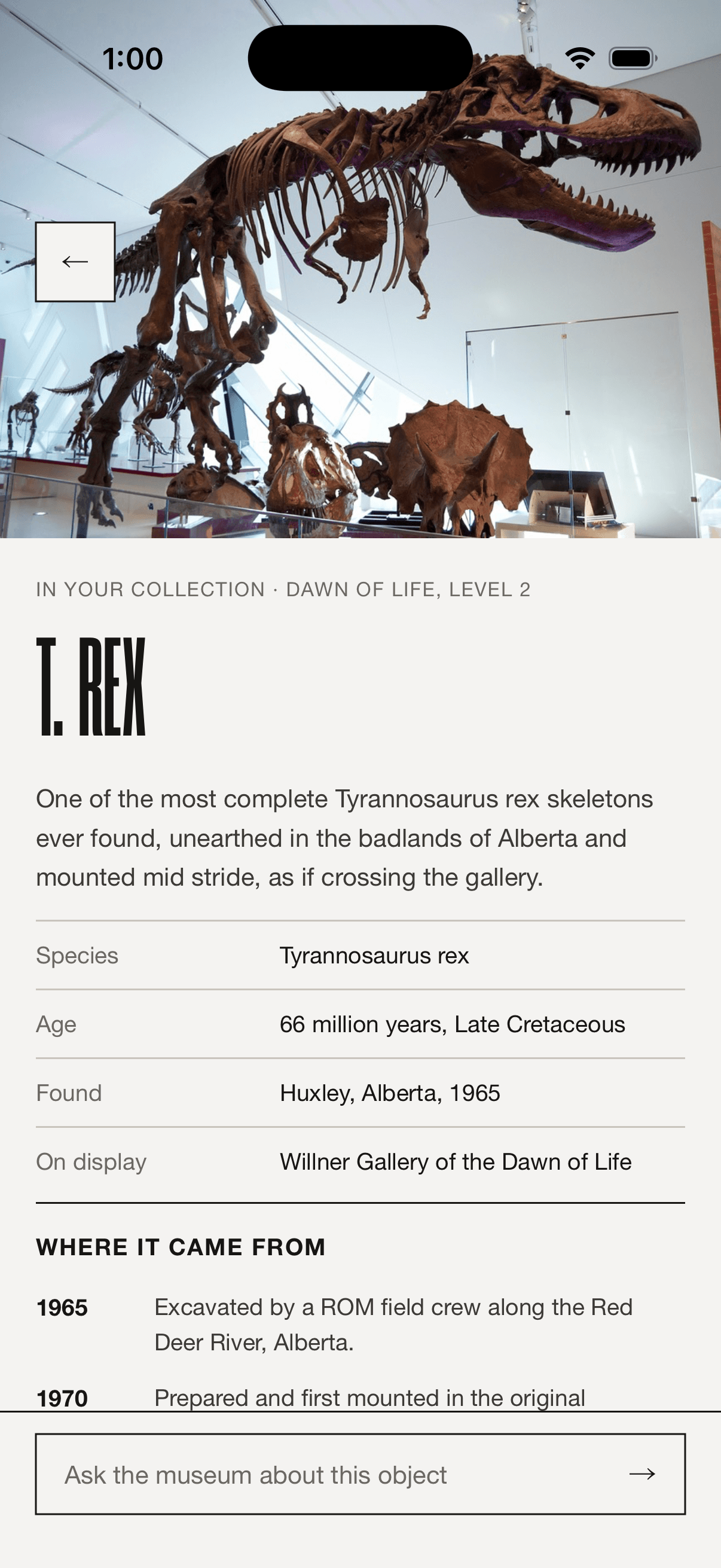
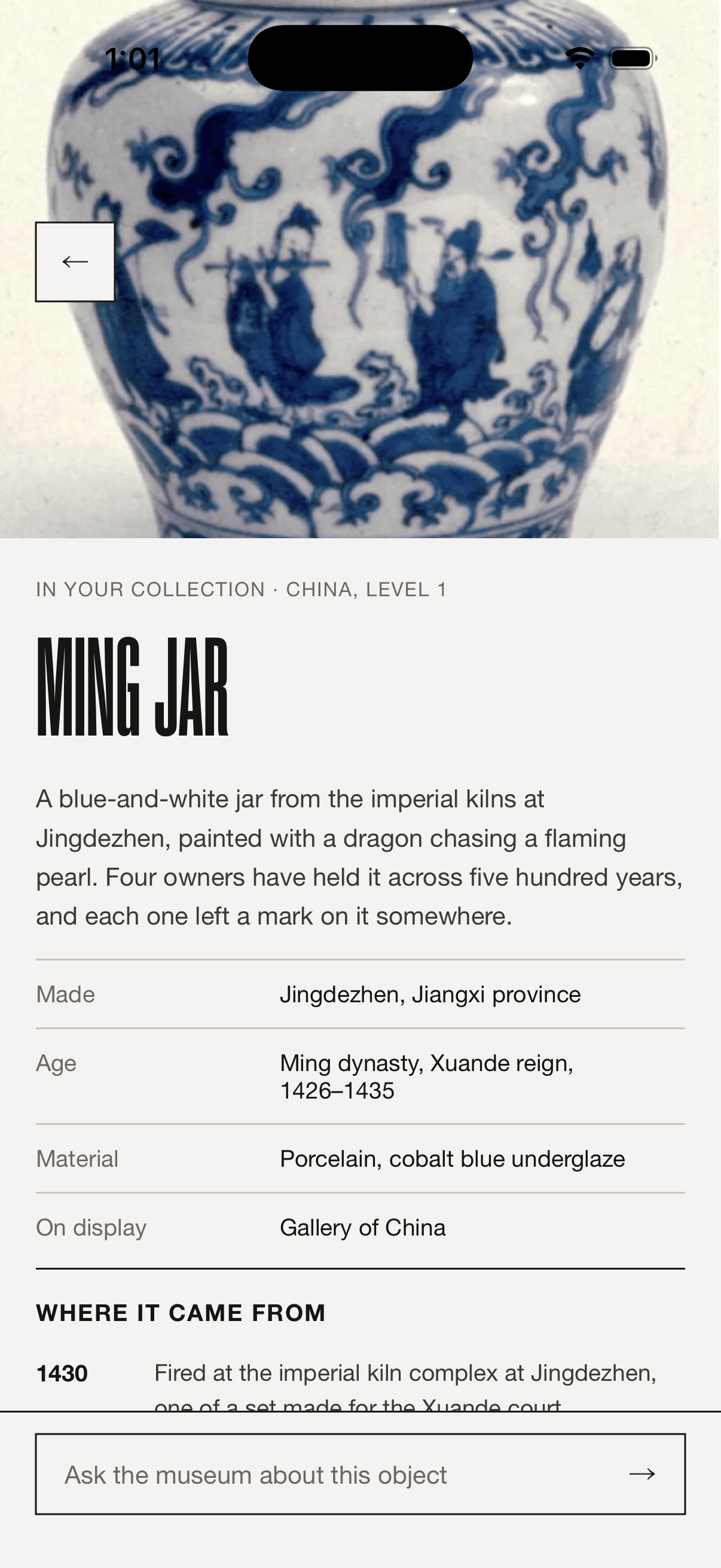
A one-page concept brief became a fully specified 23-screen design system, became a native iOS app that reads a real NFC tag, resolves the tap in under 1.5 seconds, and hands back a museum-grade object page, a grounded Q&A, an offline wallet, and real wayfinding, solo, end to end, in the space of weeks.
This isn't a ROM product yet. It's an unsolicited pitch built to be experienced rather than pitched: something I can put in a curator's hand, watch them tap a real label, and let the moment make the argument I'd otherwise have to write.
Reflection
The lesson I keep relearning is that a concept this dependent on a physical gesture can't be sold as a deck. A tap either feels inevitable in your hand or it doesn't, and no amount of describing the haptic gets you there. So I stopped short of a deck and built the thing the deck would have described.
The ROM has a real gap between a world-class collection and a companion worthy of it. If someone there wants to hold a phone to a real exhibit label and watch an object drop into their collection, that's a conversation I'd welcome.